


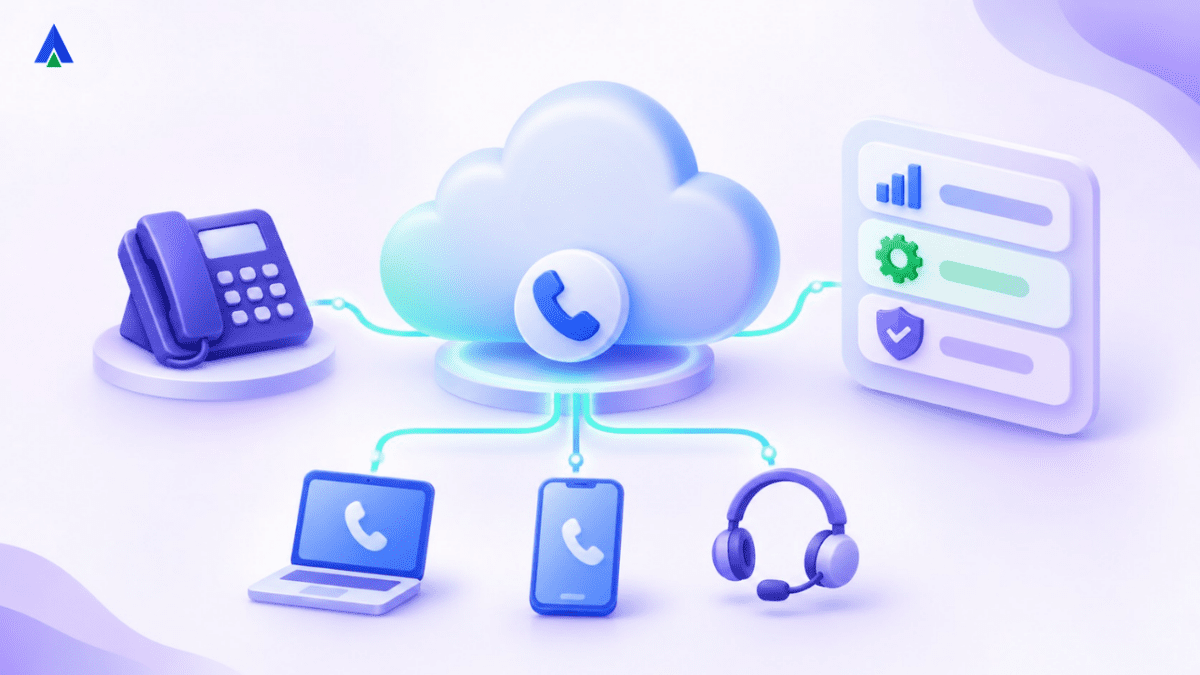


Cloud PBX (Private Branch Exchange) is a business phone system hosted by a provider and accessed over the internet. It replaces an on-site switching box, lets teams make and receive calls using softphones or IP phones, and manages routing, extensions and call flows through a web dashboard.
Cloud-based PBX and cloud-hosted PBX are commonly used to describe the same hosted phone-system model.
Uninterrupted communication helps an organization get the full potential out of its employees. PBX tools have long made that possible. Today, most businesses run that system in the cloud.
This guide explains what a cloud PBX is, how it works and why growing teams are switching. You will also see how it compares with a traditional PBX, which features matter and how to migrate.
What Is Cloud PBX? Meaning and Definition
A cloud PBX is a business phone system hosted by a provider in secure data centers and delivered over the internet. Employees make and receive calls through softphones or IP phones instead of wired desk lines.
PBX stands for Private Branch Exchange. It is the switching system that connects employees with each other inside an organization. It also connects them to external callers on the public phone network.
A cloud based PBX is also called a hosted PBX or virtual PBX. The provider owns and runs the servers. You manage users, numbers and call flows from a web dashboard. Acefone’s cloud hosted PBX works this way.
How Did PBX Move from Hardware to the Cloud?
Earlier, PBX was hardware-based. Businesses installed a switching box on office premises. Wired phone lines then connected employees to each other.
This setup had clear hassles. Hardware had capacity limits, and the wired network was prone to glitches. Every move, upgrade or new extension needed a technician.
When PBX moved to the cloud, those limitations disappeared. Cloud technology made the PBX more capable in every sense. Today’s systems deliver the same switching with no on-site box.
Adoption is growing fast. Market Research Future valued the global cloud PBX market at USD 18.43 billion in 2024. It projects the market will reach USD 119.46 billion by 2035.
How Does a Cloud PBX Work?
The system converts voice into data packets and routes them over the internet. Several protocols work together to make every call happen.
Which Protocols Does a Cloud Based PBX Use?
Devices need a protocol to connect and communicate over the internet. That protocol is TCP/IP (Transmission Control Protocol/Internet Protocol). TCP/IP decides how data is broken into packets, transmitted and received at the destination.
As technology advanced, VoIP (Voice over Internet Protocol) came into existence. TCP/IP alone was not enough for real-time voice. VoIP extended it with additional protocols:
- Session Initiation Protocol (SIP): Starts, manages and ends each call session.
- Real-time Transport Protocol (RTP): Carries the actual voice packets.
- RTP Control Protocol (RTCP): Monitors call quality and delivery statistics.
- Resource Reservation Protocol (RSVP): Reserves network bandwidth for voice traffic.
- Real-Time Streaming Protocol (RTSP): Controls streaming media sessions.
- Session Description Protocol (SDP): Describes the media formats and codecs a session uses.
- Session Announcement Protocol (SAP): Announces multicast sessions on the network.
Every call follows these protocols, so communication happens without interruption.
What Happens During a Cloud PBX Call?
The platform sits in secure data centers. It connects to your private network, or LAN (Local Area Network), which links employees through the internet. Here is what happens on each call:
- An employee dials from a softphone, mobile app or IP phone.
- The device sends a SIP request to the cloud PBX over the internet.
- The system applies your rules, such as IVR menus, ring groups or business hours.
- Internal calls connect directly. External calls pass to the public phone network through SIP trunks.
- RTP carries voice packets both ways until the call ends.
With a softphone or IP phone, an employee can reach any destination this way. Not sure which handset fits? Compare your VoIP device options.
Cloud PBX vs Traditional PBX: What Are the Key Differences?
Explore: Compare the costs and capabilities of cloud-hosted PBX with your current business phone system before choosing a migration path.
A cloud PBX removes on-site hardware, shifts maintenance to the provider and scales by subscription. A traditional PBX gives full in-house control but costs more to buy, run and grow.
| Factor | Traditional PBX | Cloud PBX |
| Hardware | On-site switching box, wiring and desk phones | Nothing on-site; softphones or IP phones only |
| Upfront cost | High purchase and installation cost | Low; monthly subscription per user |
| Maintenance | In-house staff or vendor technician | Handled by the provider |
| Scalability | Limited by hardware ports | Add or remove users from a dashboard |
| Remote work | Tied to office lines | Works anywhere with internet |
| Updates | Manual hardware and software upgrades | Automatic feature updates |
| Disaster recovery | Office outage stops calls | Calls reroute to mobiles or other sites |
| Setup time | Weeks of installation | Days, depending on number porting |
Where does VoIP fit? VoIP is the technology that carries voice over the internet. A hosted PBX is the full phone system built on top of it.
What Features Should Cloud PBX Software Include?
Modern cloud PBX software goes well beyond basic calling. Look for these features:
Auto attendant and IVR system: Greets callers and routes them by menu choice.
- Call routing and ring groups: Sends calls by time, skill or location.
- Call recording: Stores calls for training, quality checks and compliance.
- Call reporting and analytics: Tracks volumes, missed calls and wait times. AI speech analytics adds sentiment and keyword insight.
- CRM integration: Logs calls and shows customer details inside tools like Salesforce or Zoho.
- Virtual numbers and toll-free numbers: Add local or national numbers without new phone lines.
- Mobile and desktop apps: Let employees use the business number on any device.
- Instant messaging, desktop sharing and web conferencing: Keep teams collaborating beyond voice.
- AI voice agents: Handle routine queries before passing callers to staff.
What Are the Benefits of a Cloud Based PBX?
Explore: Ask Acefone for a cloud PBX demonstration tailored to your team size, locations and call volumes.
A cloud based PBX cuts costs, scales on demand and keeps teams connected anywhere. Here is how each benefit plays out.
1. Lower Costs
A traditional wired network comes with high expenses. Being hardware-based, it also needs regular maintenance. Cloud calling avoids hardware installation costs completely.
A computer with a softphone, or an IP phone, is all you need to communicate. You pay for internet usage and a subscription. The provider maintains the softphone application at no extra cost.
2. Easy Scalability
You can add lines whenever you need them. That makes it easy to connect more employees on one common platform. For every new employee, you simply add an extra line on the hosted PBX.
3. Flexibility and Business Continuity
A cloud PBX is highly flexible because it works anywhere with internet access. If disaster strikes your office, calls can be rerouted to a new destination easily.
4. Up-to-Date Features
Cloud PBX software stays relevant because the provider updates it continuously. Instant messaging, desktop sharing, web conferencing, call recording, call reporting and auto attendant make it a complete PBX solution.
5. Better Collaboration
The system brings every employee onto a single platform. If an issue comes up, experts can join the discussion from anywhere. Uninterrupted communication leads to faster problem-solving.
6. Work on the Move
Employees can work from anywhere in the world and stay on the same platform. If your business shifts location, there is no physical setup to move. Your PBX is already available on the internet.
Who Should Use a Cloud-Hosted PBX?
A cloud-hosted PBX suits any business that wants enterprise calling without enterprise hardware. It fits best for:
- Small and mid-size businesses that need professional calling on a tight budget. See our options for small businesses.
- Remote and hybrid teams spread across homes and offices.
- Multi-location companies that want one phone system for every branch.
- Fast-growing startups adding staff every month.
Sales and support teams that need IVR, queues and recording, and may later grow into a cloud contact center.
How Do You Migrate to a Cloud-Hosted PBX?
Explore: Review Acefone’s cloud PBX features and discuss number porting, routing rules and deployment requirements with its team.
Moving your PBX to the cloud is simple. At a basic level, you need two things: a broadband internet connection and a softphone or IP phone. Every employee then joins a common platform with a login ID and password.
For a smooth migration, follow these steps:
- Audit current call volumes, extensions, numbers and call flows.
- Check internet bandwidth and network quality for voice traffic.
- Choose a cloud PBX provider with the features and integrations you need.
- Port existing numbers or add new virtual numbers.
- Recreate IVR menus, ring groups and business-hour rules.
- Install softphones or connect IP phones, then train users.
- Run a pilot with one team before switching the whole company.
Is a Cloud PBX Right for Your Business?
A cloud PBX moves your business phone system off office hardware and into secure data centers. It runs on VoIP protocols like SIP and RTP. Employees can call from softphones or IP phones, wherever they work.
Compared with a traditional PBX, it costs less upfront, scales from a dashboard, and needs no in-house maintenance. IVR, call recording, CRM integration, and analytics come built in. Migration is simple too: audit your setup, port numbers, rebuild call flows, and pilot with one team.
The result is higher productivity, easier management, lower costs, and business continuity. Every employee and their core skills come together on a single platform.
Acefone gives growing businesses all of this on one platform. You get smart IVR, call routing and call recording out of the box. Native integrations connect your calls with CRMs like Salesforce, Zoho, and HubSpot.
Ready to modernize your phone system? Book a demo with Acefone and see how a cloud PBX fits your team.
Cloud PBX FAQs
A cloud PBX is a business phone system hosted in a provider’s data centers and delivered online. Employees call through softphones or IP phones. The system uses SIP to set up calls and RTP to carry voice packets. It routes calls through IVR menus, ring groups and SIP trunks.
The provider’s servers replace the on-site switching box. Your phones register with the provider’s platform over the internet. It applies routing rules, then connects calls through SIP trunks. Basic setup can take a few hours to a few days. Number porting and complex IVR flows can add time.
On-premise PBX needs upfront hardware, in-house maintenance and new ports to scale. A cloud PBX runs on monthly per-user pricing, scales from a dashboard, and the provider handles upkeep. VoIP is the underlying technology that carries voice over the internet. Both cloud and modern on-premise systems use it.
Look for a configurable IVR and auto attendant, automatic call recording and native CRM integration. Real-time analytics should track volumes, wait times and missed calls. Number scaling matters too, so you can add local, virtual or toll-free numbers without hardware. Mobile apps and AI voice agents add flexibility.
The best option for SMBs in 2026 offers per-user pricing, fast setup, IVR, call recording and CRM integrations. It should also include mobile apps and AI features. Acefone’s cloud hosted PBX covers these needs, with local numbers and 24/7 support for growing teams.
Yes. The system works wherever there is a stable internet connection. Employees use the same business number on laptops, smartphones, tablets or IP desk phones. Calls, voicemail and call history sync across devices. Managers can still monitor queues and recordings from one central dashboard.
Moving to the cloud delivers seven key benefits. It lowers hardware costs and enables remote access. Scaling takes minutes, and smart call routing reaches the right person. Call recording supports quality checks. Integrations connect CRM and helpdesk tools. Provider-run data centers with failover improve reliability.
Savings depend on team size and current setup. Businesses avoid hardware purchase, installation and maintenance contracts. Ongoing costs usually include per-user subscriptions, call charges, number rentals and internet bandwidth. Compare total cost of ownership over three years before deciding. That gives a realistic savings figure for your business.
A reputable provider uses encrypted calls, secure data centers and role-based access. Redundant servers keep uptime high. If your office internet fails, the phone system keeps running in the cloud. Calls can fail over to mobile apps, other offices or voicemail automatically, so customers still get through.
Migrate when hardware nears end of life, maintenance costs rise or teams go remote. Rising call volumes, new branches and missed calls are other triggers. If you need AI voice bots or call analytics, a cloud PBX adds them without new hardware.


