


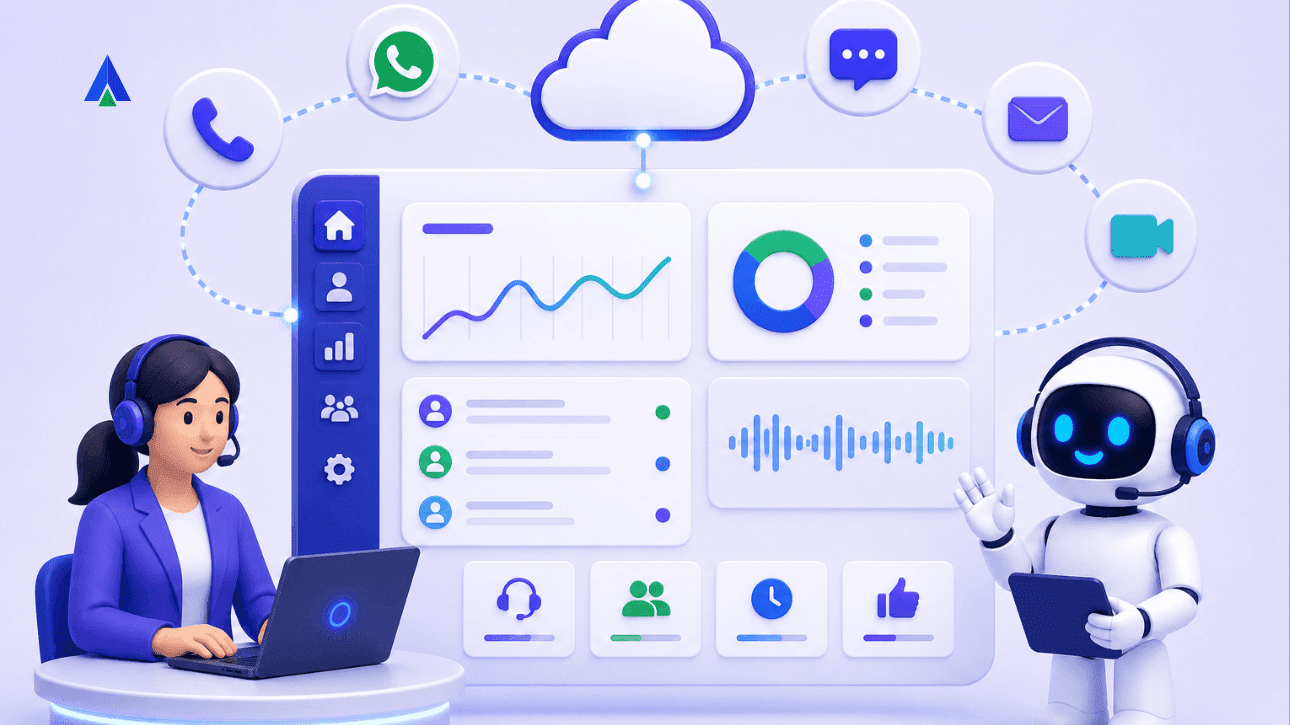


If you’ve started researching contact center software and keep running into the acronym “CCaaS,” you’re not alone. Most operations managers and IT heads hit this term for the first time while comparing options for their team, and vendor pages rarely stop to explain it before diving into feature lists.
Here’s the short answer: CCaaS (Contact Center as a Service) is cloud-hosted contact center software that you subscribe to, rather than hardware you buy and install. It replaces the traditional on-premise PBX and dialer systems that used to require a server room, IT staff, and weeks of setup.
This guide breaks down what CCaaS actually means, what’s included in a typical platform, and why it’s become the default choice for growing contact center teams.
CCaaS, Defined
CCaaS stands for Contact Center as a Service. It’s a cloud delivery model, the same idea as SaaS (Software as a Service), applied specifically to contact center operations.
Instead of installing a PBX box, dialer servers, and recording hardware on-site, you log into a platform hosted by the provider. Your agents connect over the internet, calls are routed through the provider’s cloud infrastructure, and you pay a subscription fee instead of a large upfront capital purchase.
The core shift is this: contact center software goes from something you own and maintain to something you rent and use.
Why Does CCaaS Exist? The Problem With On-Premise Systems
Traditional on-premise contact center systems require you to:
- Procure physical PBX and dialer hardware
- Install and configure servers on-site
- Hire or allocate IT staff to maintain, patch, and troubleshoot that hardware
- Plan capacity months in advance, since adding lines or seats means buying more equipment
For a company just trying to run a support or sales team efficiently, this is a lot of overhead before a single call gets made. CCaaS was built to remove that overhead entirely. The success of CCaaS can be understood based on the fact that its current market value has risen from $7.91 billion in 2025 to $9.4 billion in 2026.
The Real Value: Speed
The single biggest reason mid-market companies move to CCaaS is speed of deployment. An on-premise contact center system can take weeks or months to procure, install, configure, and test. A CCaaS platform, by contrast, can typically be set up and taking calls in hours or days, since there’s no hardware to ship, install, or wire up. You’re provisioning software accounts, not racking servers.
For an operations manager under pressure to launch a new campaign or scale a support desk quickly, this difference alone often justifies the switch.
What’s Actually Included in a CCaaS Platform?
One of the most useful things to understand about CCaaS is that it isn’t just “cloud calling.” A modern platform typically bundles several tools that used to be separate point solutions:
- Dialer modes: predictive, progressive, preview, and manual dialing, so outbound teams can match dialing strategy to campaign type
- Call routing: skill-based or rule-based routing to get calls to the right agent
- IVR (Interactive Voice Response): automated menus that direct callers before they reach an agent
- Reporting and analytics: dashboards on call volume, agent performance, and campaign outcomes
- Call recording: for quality monitoring, training, and compliance
Instead of licensing a dialer from one vendor, an IVR from another, and a separate reporting tool, CCaaS consolidates these into a single platform with one login and one bill. Acefone’s Contact Center Studio is built around exactly this idea.
It includes dialer, routing, IVR, and reporting in one workspace, with Post Call Analytics layered on top for deeper insight into every conversation.
Why CCaaS Matters for Remote and Hybrid Teams?
Because CCaaS runs in the cloud, agents don’t need to be sitting in a specific office plugged into specific hardware. Anyone with an internet connection and a login can take calls, whether from a branch office, from home, or from a laptop while traveling.
This matters more than ever for hybrid contact center teams, where agents may be split across locations or working flexible hours. On-premise systems generally can’t offer this without significant extra VPN and networking work; CCaaS offers it by default.
Scaling Without Buying Hardware
Seasonal spikes, new campaigns, and sudden hiring pushes are routine in contact center operations. With on-premise systems, scaling up means procuring more hardware and provisioning more server capacity, and scaling down means that hardware sits unused.
With CCaaS, scaling is a licensing exercise, not a procurement project. Need 20 more agents for a holiday campaign? Add 20 user licenses. Campaign ends? Remove them. There’s no hardware sitting idle in a closet either way.
Less IT Overhead, By Design
For an operations manager without a large in-house engineering team, this may be the most practical benefit of all. CCaaS shifts the responsibility for server maintenance, security patching, uptime, and infrastructure management to the provider.
That means no on-call rotation for a PBX server issue at 2 a.m., no patch schedules to track, and no physical infrastructure to secure. The IT lift required to run a modern contact center drops dramatically.
Compliance Built In, Not Bolted On
Contact centers, especially outbound ones, operate under real regulatory constraints: Do Not Call (DNC) list checks, consent requirements for call recording, and in some cases, data residency rules about where call data is stored.
Building these features from scratch is a serious engineering undertaking. Most CCaaS platforms include them natively, so compliance is part of the platform rather than a custom project your team has to own.
Predictable, Per-Agent Pricing
On-premise contact center systems are capex-heavy: large upfront spend on hardware, followed by unpredictable maintenance and upgrade costs. CCaaS platforms are typically priced per agent, per month.
This makes budgeting far more straightforward. You know roughly what your contact center will cost as you scale headcount up or down, without needing to forecast hardware refresh cycles or emergency repair costs.
AI Is Increasingly Native, Not Bolted On
Newer CCaaS platforms are starting to bundle AI capabilities directly into the platform rather than requiring a separate integration: voice bots for basic call handling, automated call scoring, and sentiment analysis on recorded conversations. Where these used to be add-on tools requiring their own contracts and integration work, they’re increasingly part of the core CCaaS subscription, which is part of why analysts tracking the space describe cloud contact centers as the default architecture for AI-enabled customer engagement going forward.
The Bottom Line
CCaaS exists to solve a specific problem: running a modern, compliant, scalable contact center without needing a dedicated infrastructure team. For operations managers evaluating their first contact center platform, the practical takeaway is this: CCaaS lets you launch fast, scale on demand, and hand off the infrastructure burden to your provider, all for a predictable per-agent cost.
Ready to see what this looks like in practice?
Frequently Asked Questions
CCaaS stands for Contact Center as a Service, a cloud-based model for delivering contact center software on a subscription basis.
No. A call center is the operation itself, the team and processes handling calls. CCaaS is the software platform that powers that operation, delivered over the cloud instead of on-premise hardware.
On-premise systems require you to buy and maintain physical PBX and dialer hardware on-site. CCaaS is hosted by the provider and accessed over the internet, so there’s no hardware to procure, install, or patch.
Most CCaaS platforms can be deployed in hours or days, compared to weeks or months for on-premise hardware procurement and installation.
Yes. Since CCaaS runs in the cloud, agents can log in and take calls from anywhere with an internet connection, which is a key reason many hybrid and remote teams adopt it.
Most providers price CCaaS per agent, per month, making costs predictable and easier to budget than the upfront capital expense of on-premise hardware.
Most CCaaS platforms include built-in compliance tools such as Do Not Call (DNC) checks, call recording consent management, and data residency options, so these don’t need to be custom-built.


