




It’s 2026 and we’re a long way from signal fires and drums being used for communication. From 1800s to the present, telephony has continuously evolved to achieve smoother and faster communication.
A journey that began with landlines connected through copper phone lines has reached a frontier that allows wireless calling through portable devices. You can now connect with people through WiFi calling or VoIP calling, using the internet as a medium.
VoIP and WiFi calling have become immensely popular in the global market, however, there is still some confusion around how they work.
While there are some similarities in both the calling methods, they are still not the same. Hence the question arises: “VoIP vs WiFi calling- what is the difference?”
What Is the Difference Between VoIP and WiFi Calling?
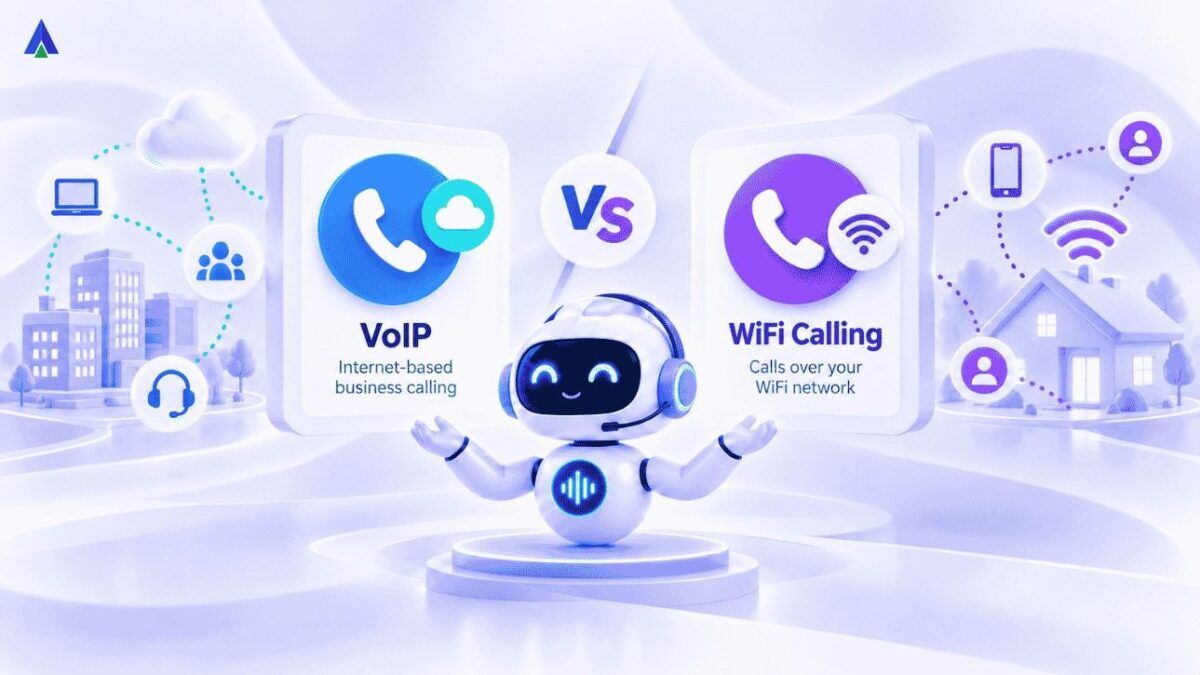
If you are wondering what is VoIP call vs WiFi calling, here is the short version. VoIP is the broad technology that sends voice as data over any internet connection. WiFi calling is a carrier feature that routes your regular mobile calls over WiFi.
The key difference in VoIP vs WiFi calling is who carries the call. VoIP apps and business VoIP systems bypass your mobile carrier. WiFi calling extends your carrier’s own network through your WiFi.
Think of VoIP as the parent technology and WiFi calling as one application of it. Keep this in mind, and every difference below will make sense.
- VoIP: works on any internet, any device, bypasses the carrier, supports virtual numbers, IVR, call recording and CRM integration.
- WiFi calling: uses your regular mobile number and native dialer, no app needed, works only on WiFi with carrier support.
- Best for personal calls in weak-signal areas: WiFi calling. Best for business and international calls: VoIP
Let’s explore them one by one.
What Is VoIP Calling?

Voice over IP calling aka VoIP calling works on Voice over internet protocol (VoIP) as its working mechanism that allows you to attend calls through the internet from any device. It converts your voice into small data packets, prioritizing the voice data over other data traffic for crystal clear calls.
VoIP is an umbrella technology that consists of VoIP phone services, virtual numbers, APIs and several more services to make calling a smooth experience for everyone. It uses an analogue-digital-analogue calling mechanism for better calling experience.
Advantages of VoIP Calling
- Cost-effective: VoIP calls are significantly more economical than traditional landline calls, especially for long-distance or international calls.
- Flexibility: You can use VoIP services on various devices, including desktops, smartphones, and tablets. This allows your agents to have more flexibility.
- Advanced features: Advanced VoIP solutions offer features like call forwarding, voicemail, and conference calling, often at a lower cost than traditional phone system.
- Scalability: VoIP can easily be scaled up or down to meet your company’s changing communication needs.
- Integration: You can integrate a VoIP solution with other business applications, such as CRM and customer support systems, improving efficiency.
Disadvantages of VoIP Calling
- Internet dependency: VoIP relies on a stable internet connection, which can be a disadvantage in areas with poor internet coverage or during internet outages.
- Technical complexity: Setting up and configuring VoIP systems can be more complex than traditional phone systems. You may require expert support.
Also read: What is a VoIP Phone System?
How Does a VoIP Call Work?
VoIP calls begin with a standard phone call made from either a computer or a smartphone through a VoIP application. As soon as you begin speaking, the microphone capturing your voice converts it into electrical signals. Once converted, an analog-to-digital converter (ADC) slices these signals into small data packets for transmission.
The cloud hosted PBX then compresses these data packets further to prioritize their transmission over other data like emails, media, etc. Upon reaching the other end, the recipient’s ADC converts the small data packets back to your voice signals, which is then played by the speakers.
Is VoIP a Single Service or a Technology?
VoIP is a technology, not a single product. It powers three broad groups of services, and knowing them makes the two easier to compare.
- Consumer VoIP apps: WhatsApp, Google Meet and Telegram calls all run on VoIP. Both people usually need the same app.
- Business VoIP systems: Cloud phone systems give teams virtual numbers, IVR, call recording, and CRM integration. Business VoIP is where the contest stops being close.
- Carrier VoIP: VoLTE and VoWiFi are VoIP implementations run by mobile operators.
What Are the Key Characteristics of VoIP?
These traits shape the comparison:
- Works on any internet connection, including WiFi, 4G, 5G and wired broadband.
- Runs on smartphones, laptops, desktops, tablets and IP desk phones. This flexibility gives VoIP the edge for remote teams.
- Bypasses your mobile carrier, so it is not tied to a SIM or carrier plan.
- Uses your WiFi or mobile data rather than talk-time minutes.
Is VoIP Over WiFi the Same as WiFi Calling?
VoIP over WiFi, such as a WhatsApp call on home broadband, still bypasses your carrier. That makes it different from carrier WiFi calling, even on the same network.
What Is Wi-Fi Calling?
Voice over WiFi (VoWiFi) aka WiFi calling refers to calls made through a WiFi connection instead of your mobile network carrier. WiFi calling has become a popular communication channel that doesn’t require physical phone lines or specific applications.
Most modern smartphones are compatible with WiFi calling and have it as a built-in feature for use. They can be easily activated with a single toggle button, allowing you to make calls without relying on your cellular provider’s network.
So, what is Wi-Fi calling in plain terms? It is your normal phone call, carried over WiFi instead of a cell tower. The person you call sees your usual number and needs no app. That simplicity is its biggest strength.
Advantages of WiFi Calling
- Better coverage: WiFi calling can provide better coverage in areas with a weak network.
- Clarity: WiFi calling offers clearer call quality than traditional calling, especially in areas with poor coverage.
- Integration: WiFi calling can be integrated with other WiFi-enabled devices and services.
Disadvantages of WiFi Calling
- Requires WiFi feature: WiFi calling requires you to have the feature available on your network.
- Compatibility: WiFi calls may not be compatible with all devices or carriers.
- Limited features: WiFi calling doesn’t have specialized features for businesses.
- Security concerns: WiFi calling can be susceptible to security risks if the network is not secure.
How Does WiFi Calling Work on a Phone?
VoWiFi or WiFi calling uses your existing mobile service over a WiFi network. It uses your WiFi network instead of cellular towers for making and receiving calls. If you’re connected to the WiFi and your cellular network is weak, your device will utilize the VoWiFi technology to initiate the call.
Here your voice is converted into data packets just like a VoIP call, however, these packets travel across your mobile carrier’s infrastructure to reach the recipient’s phone number.
How Does WiFi Calling Work Step by Step?
WiFi calling runs on IMS (IP Multimedia Subsystem), a carrier framework defined by the 3GPP standards body. This carrier routing is the root of every VoIP vs WiFi calling difference. Here is how a call flows:
- Your carrier enables VoWiFi on your SIM, and your phone supports it.
- You dial from your phone’s regular dialer.
- Your phone checks that the WiFi connection can carry the call.
- The call travels over WiFi, through an encrypted tunnel, to your carrier’s VoWiFi gateway.
- From the gateway, the carrier routes it like any normal mobile call.
- The recipient’s phone rings as usual, with your regular number on screen.
Calls can also hand off between WiFi and cellular as you move, as long as VoLTE is enabled.
Unlike a VoIP app or business VoIP system, WiFi calling needs no separate app, login or number; it is your carrier’s call, just carried over WiFi.
How Do You Turn On WiFi Calling?
Before you compare the two on your own phone, check that the feature is on.
- Android: Open Settings, go to Network & Internet (or Connections), then Mobile Network, and toggle WiFi Calling on.
- iPhone: Open Settings, tap Cellular (or Mobile Data), tap Wi-Fi Calling, and turn it on.
If the option is missing, your carrier may not support it on your SIM or phone model.
VoIP Preferred vs WiFi Preferred: Which Setting Should You Use?
Many phones let you set a calling preference once WiFi calling is on. “WiFi preferred” sends calls over WiFi whenever it is available. “Cellular preferred” uses WiFi only when the mobile signal is weak.
Some business softphones offer a similar “VoIP preferred” mode that routes calls through the VoIP app first. When weighing VoIP preferred vs WiFi preferred, pick the network that is most stable where you work. This setting matters when you use both on one phone.
Is WiFi Calling Free?
WiFi calling usually costs nothing extra to switch on. Calls count against your regular talk plan, just like cellular calls. It uses your WiFi bandwidth, not your mobile data.
International calls are still billed at carrier rates, and some carriers charge for WiFi calls while roaming abroad. For heavy international use, VoIP vs WiFi calling costs differ sharply.
Difference Between VoIP vs WiFi Calling
Given the extensive usage of VoIP as well as WiFi everywhere, we must understand how they differ. Acquainting ourselves with their unique capabilities allows us to determine which of the two is better for our specific communication requirements.
The table below compares both across the most important factors.
| Factor | VoIP calling | WiFi calling | Cellular |
| What it is | Technology for voice over the internet, via apps or business systems | Carrier feature that carries mobile calls over WiFi | Standard carrier call over cell towers |
| Phone number | App ID, existing number or a virtual number | Your regular mobile number | Your regular mobile number |
| Carrier dependence | None; bypasses the carrier | Fully dependent on carrier support | Fully carrier-based |
| Network | Any internet: WiFi, 4G, 5G or broadband | WiFi only | Cellular signal only |
| Device support | Phones, laptops, desktops, tablets and IP phones | Supported mobile phones only | Mobile phones |
| App needed | Yes; consumer apps need it on both ends | No; uses the native dialer | No |
| Business features | IVR, call recording, analytics, CRM integration, virtual numbers | Basic voicemail and caller ID | Basic voicemail and caller ID |
| Cost | Free app-to-app; low-cost plans for business | Uses your carrier talk plan | Uses your carrier talk plan |
| Scalability | Add users and numbers from a dashboard | One line per SIM | One line per SIM |
| International calling | Low-cost via apps or virtual numbers | Billed at carrier international rates | Billed at carrier international rates |
| Handoff to cellular | No | Yes, with VoLTE enabled | — |
In short, VoIP vs WiFi calling comes down to number, network and features.
How Are VoIP, VoLTE and VoWiFi Related?
VoIP is the parent technology. VoLTE (Voice over LTE) and VoWiFi are carrier versions of it. VoLTE carries calls over 4G or 5G data, while VoWiFi carries the same calls over WiFi.
Both share the carrier’s IMS core, which is why calls hand off smoothly between them. Consumer VoIP apps and business VoIP sit outside the carrier network. Understanding this family tree clears up most of the confusion.
VoIP vs WiFi Calling: Which Is Better for You?
Even though both of the calling methods are somewhat similar in nature, they cater to two different use cases and market segments.
Here are some of the factors that help determine which among VoIP vs WiFi calling service to get for your unique use case:
1. Calling Nature: Personal or Business?
The most important factor to consider is the nature of your daily calling. Since WiFi calling requires attending calls with your existing number, within the same coverage area, it ideally fits the requirements for personal calling.
On the other hand, VoIP calling can hold fluent local and international calling without revealing your phone number. It offers deep call insights and live monitoring and reports. Therefore, it is more suitable for business communication.
2. Network Coverage
Your location stands as one of the primary determining factors when choosing between VoIP vs WiFi calling. Go for Wifi calling for areas with poor cellular services, if you have an active WiFi connection. It will serve as a replacement for your cellular calling and maintain communication consistency.
Whereas VoIP calling can be a viable option for areas with business communication as VoIP phone services are more scalable than regular calling. You can make and receive international calls through virtual numbers at a fractional rate, yet with more calling functionalities.
3. Cost: Is VoIP or WiFi Calling Cheaper?
WiFi calls that seem free at first might cost you significantly more than regular calls. While the calls themselves do not incur any charges, the data used to make such calls isn’t free. Regardless of your cellular service provider, data consumed through WiFi is quite hefty when compared to VoIP plans tailored for large call volumes.
There are plenty of VoIP phone providers that offer flexible, pay-as-you-go plans on a user-count basis, delivering high-quality VoIP calling at cheap rates. Many even integrate seamlessly with inbound call center software, ensuring scalability and cost-efficiency for teams handling customer support or sales calls.
4. Features: IVR, Call Recording and Analytics
VoWiFi offers similar calling capabilities to your regular calling like voicemail, caller ID, etc. to maintain basic calling functionality without significant cellular coverage. Business VoIP, however, offers various features such as call recording, analytics, live monitoring, reporting, IVR, etc. to provide rich communication experience. If your communication requires extensive monitoring and functionality, VoIP calling services are your go-to-option.
Explore: Acefone Contact Center Solutions
5. Call Quality: WiFi Calling vs VoIP
Call quality is often the deciding factor. WiFi calling uses carrier HD Voice codecs and carrier quality-of-service controls. Business VoIP uses codecs such as Opus or G.722, plus QoS settings on your network.
On a stable connection, both sound clear. On a shaky connection, carrier-managed WiFi calling is often more consistent.
6. Security and Privacy
Security also differs between the two. WiFi calling encrypts the call between your phone and the carrier gateway using IPsec. After that, it travels like any mobile call.
Many VoIP apps use end-to-end encryption. Business VoIP adds encrypted calls, role-based access and secure data centers. Whichever you pick, avoid sensitive calls on unsecured public WiFi.
7. Emergency Calling
WiFi calling routes emergency calls, such as 112 in India, through the carrier network. Consumer VoIP apps are not a reliable substitute for emergency services. For personal use, this point matters.
VoIP vs WiFi Calling: Which Is Better for Each Situation?
Use this quick guide for common situations.
| Situation | Better choice |
| Weak mobile signal indoors, strong WiFi | WiFi calling |
| Calling someone without a smartphone or app | WiFi calling |
| Emergency call in a low-signal area | WiFi calling |
| Free international calls to family | VoIP app |
| Video or group calls | VoIP app |
| Calling from a laptop or desktop | VoIP |
| Running a sales or support team | Business VoIP |
| Local presence in another country | Business VoIP with virtual numbers |
Many people use both, which is often the smartest answer.
Common Myths About VoIP vs WiFi Calling
- “WiFi calling is the same as WhatsApp calling.” WhatsApp is a VoIP app that needs both users on the app. WiFi calling uses your carrier and reaches any number. This is the most common mix-up.
- “WiFi calling eats my mobile data.” It uses WiFi bandwidth, not cellular data. Minutes still count against your plan.
- “VoIP calls are always free.” App-to-app calls usually are. Calls to regular numbers and business plans cost money. Cost is where people get surprised most.
- “WiFi calling always sounds better.” It helps where signal is weak. With strong 4G or 5G, VoLTE sounds the same. Network strength, not the label, decides quality.
VoIP vs WiFi Calling: Final Verdict
Once you have considered all the factors involved in VoIP vs WiFi calling, you can opt for the method that resonates the most with your requirements. Keep in mind of your location, calling nature, and budget before selecting either of the two calling services.
If you need to make domestic calls through your phone number, WiFi calling is the ideal solution for you. If your calling communication requirements lie with contacting people and organizations from overseas, handling larger call volumes, VoIP calling is the right service for you.
In most cases, VoIP vs WiFi calling is not an either-or choice. Use WiFi calling to fill personal coverage gaps, and a business VoIP system to run customer conversations.
FAQs on VoIP vs WiFi Calling
VoIP is the broad technology that sends voice as data over any internet connection. WiFi calling is a carrier feature that routes your regular mobile calls over WiFi. The key difference is who carries the call.
Cellular calls are most reliable where the signal is strong. WiFi calling matches cellular quality indoors and costs the same, since it uses your talk plan. VoIP offers the lowest cost for international and high-volume calling, plus business features. In VoIP vs WiFi calling vs cellular, the right pick depends on signal, budget and call volume.
A VoIP phone system suits most small businesses. WiFi calling ties each call to one employee’s personal number, with no IVR, recording or reports. Compare call routing, virtual numbers, CRM integration, analytics, per-user pricing and support. For business use, VoIP vs WiFi calling usually ends in favor of VoIP.
You have outgrown WiFi calling when calls get missed, customers reach personal numbers, or managers cannot see call data. Multiple agents, international expansion and compliance needs are other signs. A cloud phone system adds routing, analytics and CRM sync without new hardware.
Yes. WiFi calling uses your existing mobile number and your phone’s built-in dialer. The person you call sees your usual caller ID and needs no app. This is a core difference from VoIP apps, which show an app ID or a separate virtual number.
Yes. Business VoIP services offer virtual numbers for local presence, multi-level IVR menus to route callers and automatic call recording. Most also add analytics, CRM integration and live monitoring. WiFi calling offers none of these, which is why businesses choose VoIP.
Savings depend on call volume, team size and international traffic. Businesses cut hardware, line rental and maintenance costs, and pay lower rates on long-distance calls. Ongoing costs include per-user plans, call charges and internet bandwidth. Compare three months of phone bills against VoIP quotes to see your likely savings.
A single voice call needs roughly 100 Kbps each way, with stable upload speed. Plan for at least 1 Mbps per concurrent call to leave headroom. Latency under 150 ms, jitter under 30 ms and packet loss under 1% keep calls clear. The same rules apply to VoIP and WiFi calling.
Most problems come from the network, not the service. Weak WiFi signal, congested bandwidth, router distance and heavy background apps cause lost packets. High latency, jitter and packet loss then create echo, gaps and robotic audio. Both suffer equally on a poor connection.
Use a wired connection or move closer to the router. Enable QoS on your router to prioritize voice traffic. Pause large downloads and streaming during calls, and upgrade old routers or add mesh nodes. For business VoIP, ask your provider to check codecs and run a network assessment. These fixes help VoIP and WiFi calls alike.


