


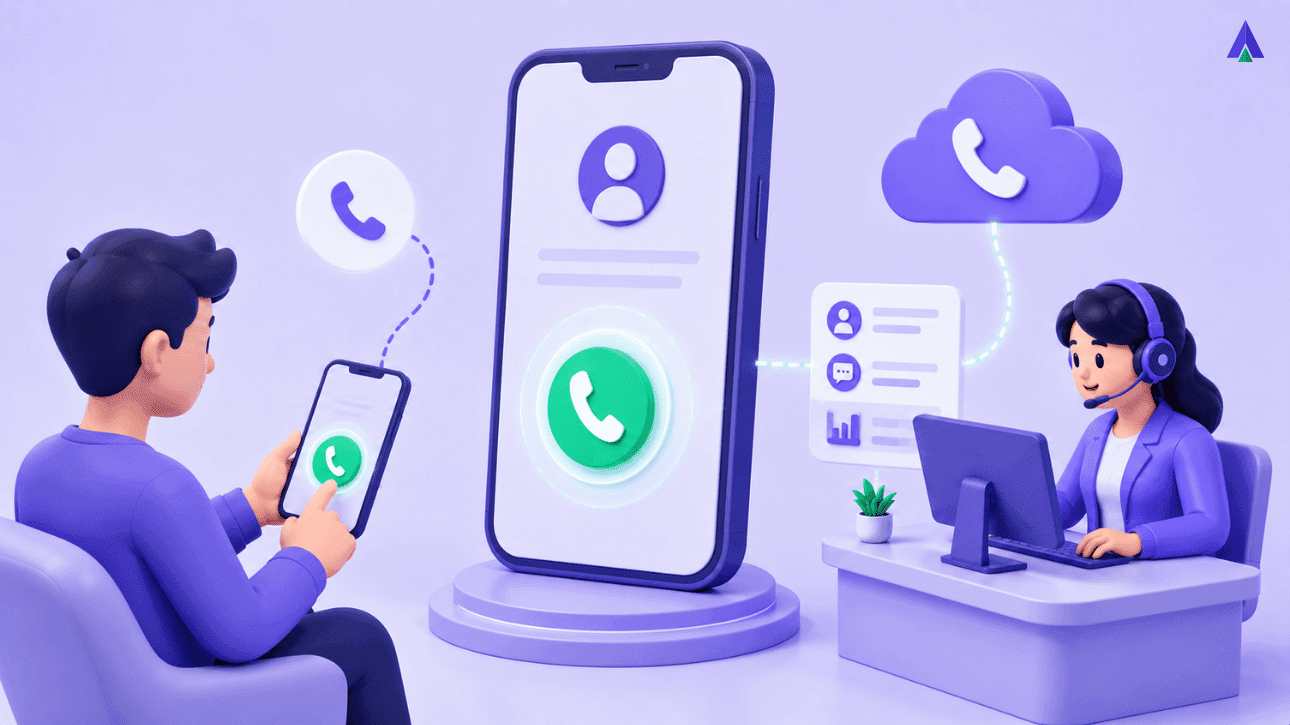


Your website answers every question a potential buyer could have. Yet most of them still want to just call someone. That’s not a flaw in your website. It’s how people buy.
Cloud telephony solutions have been running for ages. The pattern never changes: the moment a prospect gets serious, they reach for the phone. Click to Call closes that gap. Instead of hunting for a number or filling a form, a buyer taps once, and a call starts.
In this post, we explain what Click to Call is and how it works. We also cover why businesses are adding it to sites and ads.
What is click-to-call?
Click to Call is a button, link, or ad extension that starts a phone call the moment someone taps it. We use it to let a visitor connect straight to a live agent. That visitor might come from a website, an app, or a search ad. There is no dialing, no copying a number, and no waiting for a form reply.
You’ve probably used it without noticing. Search for a plumber on your phone, and Google shows a green call button next to the listing. Tap it, and your phone dials straight from the search results page. Websites use the same idea with a floating call button. It’s usually parked in a corner, easy to spot on mobile. Some SaaS pricing pages use it too, right next to “Book a demo.”
The button itself is simple. What sits behind it is not. Tap it, and it can connect you straight to an agent inside the browser. Or it can ask for your number and call you back seconds later. Either way, you never leave the page, hunt for a number, or wait for an email reply. That’s the whole point: collapse the distance between “I’m interested” and “I’m talking to someone.”
Recommended Page: Click to Call software
How does click-to-call work?
TL;DR:
- VoIP: Voice over Internet Protocol, a technology that carries calls over the internet instead of the traditional phone network.
- WebRTC: a browser standard that lets audio and video travel peer-to-peer, with no extra plugin or download.
Click to Call works in one of two ways. Direct-connect calls run over VoIP, so a tab opens a live call in the browser or app. No phone network is involved. Callback works differently. The visitor drops their number, and the system calls both sides seconds later. It then joins the two legs into one call. A cloud telephony platform sits behind both flows, handling routing, recording, and number masking.
Behind the tab sits an API layer most visitors never think about. On the direct-connect side, the browser opens a WebRTC session, the same tech video-calling apps use. Voice packets then travel straight to your call center or PBX.
On the callback side, the platform holds the visitor’s number and fires an outbound call to your agent first. It only dials the visitor once someone picks up. That order matters. It stops your team from making a call nobody answers.
Most platforms also pass context along with the call. That includes the page the visitor was on, what they searched, and any CRM details you already hold. Your agent picks up already knowing why the person called. That’s a very different conversation than a cold inbound ring.
Why Do Customers Prefer Click to Call Over Forms?
Buyers pick up the phone because forms feel slow and calls feel certain. A form disappears into an inbox with no promise of a reply time. A call gets answered, or it doesn’t, right away. Mobile search data backs this up. Most people searching on a phone for a local business end up calling, not filling a form.
Google and Ipsos studied this back in 2013, and the number has held up since. Seventy percent of mobile searchers call a business directly from the search results page. That’s not a niche behavior. That’s most of your mobile traffic.
Speed matters just as much once the lead exists. Research consistently shows that the sooner a business responds to a lead, the more likely it is to convert. Delays can quickly reduce the chances of engagement, so a contact form sitting in a queue for even an hour may already mean a lost opportunity.
Click to Call sidesteps the queue entirely. There’s no ticket, no auto-reply, and no promise to reply within 24 hours. The visitor taps, the phone rings, and someone answers. For a buyer comparing three vendors in one browsing session, that’s often the deciding factor.
Benefits of click-to-call for your businesses
Click-to-call pays off in four ways we see again and again with our customers. It shortens response time from hours to seconds. It lifts conversion rates on mobile pages and search ads. It gives sales and support teams call context before they even say hello. And it hands out to marketing clean call analytics that forms never provide.
Take conversion first. Personalized calls-to-action consistently outperform generic ones because they align more closely with a visitor’s intent and context. A Click to Call button is about as personalized as a CTA gets. It meets the visitor on the exact page, and at the moment they’re ready to make a decision.
Then there’s the data side. Every Click to Call session can be logged: call duration, outcome, source page, and campaign. Marketing teams finally see which ad, page, or keyword actually drives a phone call, not just a form fill. That’s an attribution most businesses never had before.
- Faster time-to-first-response, often under a minute
- Higher conversion on mobile landing pages and search ads
- Call context passed to the agent through CRM Integration
- Clean call analytics for marketing attribution
- Fewer abandoned journeys at the final decision step
None of this replaces a good sales process. It just removes the friction sitting between a ready buyer and your phone.
How Businesses Use Click to Call Day-to-Day?
Click-to-call plays out differently across industries, but the pattern stays the same. The call happens exactly when a customer is closest to a decision, not after a form sits unanswered.
1. BFSI: Loan and Policy Queries
A customer comparing loan EMIs or insurance premiums rarely wants to fill a lead form and wait. A Click to Call button on the calculator page lets them ask a real advisor about processing fees or claim exclusions. The call reaches a licensed advisor over a masked number, and it gets recorded for compliance. For a BFSI brand, that recording also becomes proof of what was promised, useful during disputes.
Number masking: hiding a real phone number behind a temporary virtual number for the length of a call.
2. Healthcare: Appointment and Triage Calls
A patient booking an appointment, or worried about a symptom, doesn’t want to wait for a contact form. A Click to Call button next to your appointment page lets them speak with reception immediately. An IVR routes the call to the next available doctor, department, or triage nurse that fits the patient’s need. For clinics running multiple locations, that routing means a caller in one city never rings a receptionist in another.
Interactive Voice Response: IVR is an automated menu that routes callers by voice or keypad input.
3. Education: Admissions Enquiries
During admission season, a prospective student browsing your course page has shortlisted two or three colleges. They want an answer fast. Email queues and slow web forms lose that student to whichever college calls back first. Click to Call connects them straight to a counsellor who can answer fee, scholarship, or eligibility questions on the spot. Institutions running seasonal campaigns can staff extra counsellors on the Click to Call line during peak enquiry weeks. The rest of their support setup stays untouched.
4. Retail: Checkout and Cart Recovery
A shopper adds a sofa or a phone to their cart. Then they stall on a delivery date or a return policy detail. A Click to Call button at checkout lets them ask directly, instead of abandoning the cart and emailing support later. The agent sees the cart value and product page on their screen before picking up. They never ask the shopper to repeat themselves. For a retailer running a flash sale, one saved cart easily covers the cost of the call.
5. Professional Services: Practice-Area Routing
A visitor on a law firm’s or consultancy’s service page rarely knows which department handles their query. A Click to Call button lets them ask without guessing whether to email litigation, tax, or general enquiries. IVR routing sends the call to the right practice area, not a generic front desk that forwards it twice. For a firm billing by the hour, that correct first connection means the right expert starts the clock.
The channel changes across these five industries. The urgency to answer never does.
Conclusion
Three things matter most here. Click to Call removes the gap between a curious visitor and a live conversation. That gap is where most leads quietly disappear. Speed beats almost everything else. A business that answers in seconds converts more than one that replies by email a day later. None of this needs a rebuild either. A Click to Call button, whether it’s a browser call or a callback flow, plugs into an existing website in days. It fits an existing ad or CRM just as fast.
We built Acefone’s Click to Call features around exactly this problem. Shorten the distance between interest and conversation and make every call trackable. If your forms are quiet but your traffic isn’t, the gap is probably a phone number nobody can find.
Frequently Asked Questions
Click to Call is a button or link that starts a phone call the moment someone taps it. It replaces manual dialing with one tap, connecting a website or app visitor straight to an agent. You’ll usually spot it on search ads, websites, and mobile apps.
A Click to Call button opens a live VoIP call in the browser, or asks for your number and calls back. A cloud telephony platform handles routing, call recording, and number masking behind the scenes. No plugin or download is needed on either flow.
The button itself is often free to add to a website or app. Running it isn’t: most businesses pay a cloud telephony or VoIP provider for call minutes, number masking, and analytics. Costs scale with call volume, so pricing varies widely between providers and plans.
The terms are mostly interchangeable in everyday use. Some vendors reserve “click-to-dial” for agent-side tools, like a sales rep clicking a CRM record to dial out automatically. “Click to Call” usually describes the customer-facing button on a website, app, or search ad.
Yes, in most implementations. Browser-based click-to-call uses WebRTC, so calls run inside the browser with no app or plugin needed. Callback-style Click to Call needs no app either, since the platform simply calls the visitor’s regular number directly, like any normal call.
Skip it if you can’t staff calls during the hours your button is live. An unanswered Click to Call button damages trust faster than no button at all. It’s also a weak fit for purely self-serve products where customers actively prefer not to talk to anyone.


