


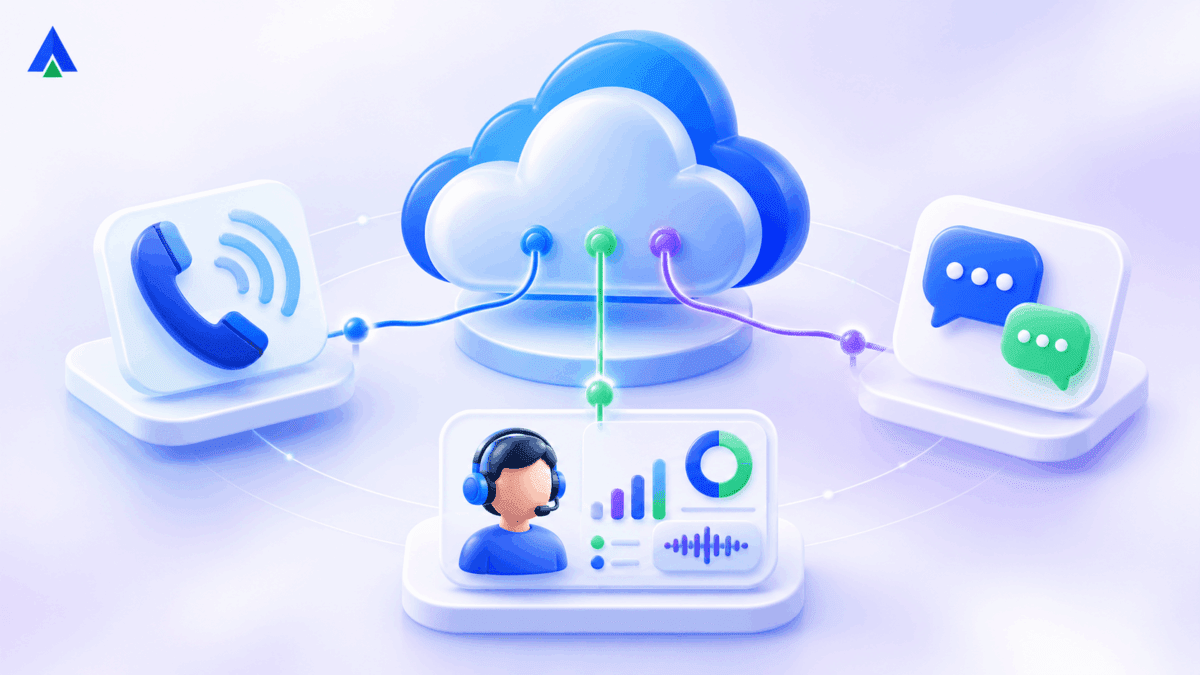


CCaaS stands for Contact Center as a Service. It is a subscription-based cloud platform that helps businesses manage inbound and outbound customer interactions, route calls, connect digital channels, integrate CRMs, and measure agent performance without operating on-premises contact center servers.
Ever since the traditional contact center services have shifted to cloud, customer communication hasn’t been the same. The new and improvised version aka. Contact Center as a Service (CCaaS) has taken the world by storm.
Also known as Contact Center SaaS, it is one of the most efficient ways of handling customer communication. It allows you to route and escalate calls, view analytics, and help agents handle each client appropriately. You also get streamlined storage and automated data management for increased usability and collaboration.
Let’s look at the most powerful capabilities that make SaaS-based contact center solutions a must-have for every business.
What Is CCaaS (Contact Center as a Service)?
A CCaaS is a cloud-based platform that delivers a wide range of communication tools for both inbound and outbound customer interactions. This omnichannel approach has boosted its popularity. Its market share expected to reach $24.45 billion by 2032. It includes advanced features like intelligent call routing, real-time analytics, and support for multiple channels such as voice, video, chat, SMS, and social media. A CCaaS platform delivers inbound and outbound communication tools—such as IVR, call routing, auto dialer functionality, and more—to streamline your customer interactions.
Unlike traditional systems, SaaS-based call center software eliminates the need for heavy infrastructure, enabling agents to work from anywhere with just an internet connection. This flexibility makes them ideal for businesses with remote or distributed support teams. To understand how this modern contactcenter evolution differs from legacy setups, see our detailed explanation of what is a call center.
With a unified dashboard, supervisors can oversee operations across all communication channels. This helps teams collaborate more effectively and deliver consistent, high-quality customer service.
CCaaS stands for Contact Center as a Service. It’s a cloud delivery model, the same idea as SaaS (Software as a Service), applied specifically to contact center operations.
Explore Acefone’s cloud contact center solution to see how routing, digital channels and analytics fit together.
How does a CCaaS solution work?
A CCaaS platform provider begins by integrating with a business’ existing systems, such as a customer relationship management (CRM) system. This integration is typically the first step in integrating a CCaaS and allows for a unified view of customer data.3 The CRM integration is a vital step so that AI-powered agents have interaction history and a clear picture of the business’ contact center operation.
After the integration and setup are complete, the CCaaS software provider configures communication channels and sets up new workflows to align with the current communications platforms. CCaaS platforms are built to support omnichannel communication such as voice calls, messaging apps, email, live chat, social media and SMS. This step can ensure customers have a smooth interaction through their preferred communication method.
Human agents are then able to access the CCaaS platform through an interface and streamline customer information into one unified place. The cloud-based solution is scalable and allows businesses to adjust resources on demand as business needs change.
CCaaS vs UCaaS vs On-Premises: Which Is Right for You?
CCaaS focuses on customer-facing contact center workflows, including queues, call distribution, agent monitoring, reporting and outbound operations. UCaaS focuses on employee calling, meetings and collaboration. On-premises contact centers keep more infrastructure and maintenance under the business’s direct control.
Choose CCaaS for structured customer interaction volumes; UCaaS for everyday team communications; and on-premises where an organization has a specific infrastructure or control requirement. Some businesses use CCaaS and UCaaS together.
CCaaS vs On-Premises Contact Center: What Is the Difference?
| Aspect | On-Premises Contact Center | Contact Center as a Service (CCaaS) |
| Deployment & Infrastructure | Requires hardware, telephony setup, and on-site servers. Setup takes weeks/months. | Cloud-based with no hardware required. Rapid deployment—often within hours or days. |
| Maintenance & Support | In-house IT team handles updates, security, and troubleshooting. Resource-intensive. | Vendor handles all maintenance, updates, and security. Minimal involvement from internal teams. |
| Cost & Budgeting | High upfront CapEx (hardware, licenses) + unpredictable ongoing costs. | Subscription-based OpEx model with predictable monthly or annual pricing. |
| Scalability & Flexibility | Scaling requires new hardware, licenses, and longer setup times. | Instantly scalable. Add/remove users or features on demand—ideal for seasonal or fast growth. |
| Remote Accessibility | Limited and complex. Requires VPNs and configurations; not ideal for remote work. | Fully remote-ready. Agents can work from anywhere via browser or app with secure access. |
For a structured calling use case, review Acefone Contact Center Studio alongside the features below.
What are the key features of a CCaaS platform?
Here are the must-have capabilities of a SaaS-based contact center solution:
1. Centralization
Bringing together service operations in a centralized location is key to improving customer communication and agent productivity. Unfortunately, most call centers rely on multiple applications rather than a unified solution. This ultimately results in agents winding up on a call without the information they need to provide desirable service.
A cohesive SaaS contact center solutions solve this issue by managing all business communications via VoIP phone system and analytics on a customer relationship management (CRM) tool.
With all the information easily accessible, agents provide a more personalized and seamless experience. SaaS-based contact center solutions are automation-led. Hence, they also ensure that your agents spend less time on mindless administrative work.
2. Multiple integrations
Considering the time call centers agents spend on different processes, the advantage of contact center SaaS is its ability to provide robust freshworks integrations. This increases internal collaboration and allows agents to access quick support and escalate questions and any interactions that need additional help.
Implementing these integrations also leaves significant room for scalability and revolutionizes customer journey management. A CRM integration gives you useful information about customer actions and the factors driving their decisions. With greater access to relevant insights, you can make a better home office and address issues without wasting consumer time, resulting in increased satisfaction.
3. Comprehensive reporting
Reports are an integral aspect of helping customer service kiosks understand and evaluate agents as well as customers. However, reporting can be challenging when you need to navigate heaps of data to unlock key operational insights.
Here is the revised sentence with your requested change:
A powerful inbound call center empowers managers to review agent activity and detailed metric reports to determine bottlenecks and take corrective measures.
It also provides you with an in-depth view of all agent activities—from checking the number of calls answered or transferred to their availability status. This way, you can initiate training measures to help agents become more competitive, which ultimately translates to increased business sales and profits. You can check this compiled VoIP software list from FinancesOnline to find a SaaS contact center that delivers comprehensive reports.
4. Software mobility
As the pandemic continues to reshape call center operations, managers must adapt to constant changes to stay competitive in the evolving customer service landscape. Embracing strategic roles—like bringing in a fractional CTO—can help navigate these transitions with agility and insight. Combined with a powerful call management solution, this approach can significantly ease the process of relocating or reconfiguring your physical call center.
Unlike other solutions, SaaS can store business phone numbers in the cloud, allowing you to route calls through the web to any connected softphone or IP phone. It can also increase customer satisfaction since agents can access applications easily from any platform.
Most call centers SaaS traditionally update and store data in different applications, which usually results in managers having to spend extra time to train agents. SaaS helps managers ensure their team members have the right tools to deliver exceptional customer service.
5. Less maintenance
Maintaining call center voip solutions for business is far from easy. Managers have to ensure that their technology is SIP-compliant and need to perform the necessary upgrades to comply with industry standards. This can be taxing, ruining your bottom line and the objective of providing desirable customer support.
However, cloud contact center software are managed by the provider, not the on-site IT department. Moreover, cloud-powered solutions do not require specialized IT experts. So, if need be, they can be easily managed in-house even by those who’re not tech-savvy.
This means you no longer have to worry about software updates and maintenance; any changes will roll out automatically. Automated updates guarantee less downtime so you can focus on providing quality service rather than managing technical processes. Overall, your productivity is highly benefited.
Recommended Page: Knowlarity Alternative
How Does AI Improve CCaaS Solutions?
AI can help a CCaaS platform handle routine enquiries, interpret conversations, summarize calls, support quality reviews and route customers to agents. Specific capabilities depend on the vendor and the plan; not every CCaaS feature is AI-powered.
For example, a voice bot can qualify or resolve a straightforward request and escalate a complex interaction to a human agent. Agents and supervisors can then use conversation insights to improve follow-up and coaching.
See how AI voice agents can complement human contact center teams through escalation and automation.
What are the Benefits of CCaaS for Businesses?
CCaaS brings together the best of cloud technology with modern contact center features that actually work today. It can help you run smoother operations while staying nimble enough to adapt when things change.
Here are some of the most prominent benefits you can get from adopting CCaaS:
1. Improved Efficiency and Productivity
With CCaaS, you don’t have to worry about all the technicalities that usually eats up your time and resources. The service provider takes care of the IT infrastructure, hardware maintenance, software updates, and all the BTS technical headaches.
This means, instead of having your best people stuck troubleshooting hardware issues, they can focus on what serving your customers better. Your IT team can work on strategic projects that move the needle. Your customer service managers can spend their time coaching agents instead dealing with system crashes.
It’s a simple shift, but it makes a huge difference in how productively your team can spend their day.
2. Greater Flexibility and Scalability
Cloud contact center delivers unprecedented flexibility and scalability that traditional on-premises solutions simply cannot match. Throughout the year, you will get busy seasons, slow periods, new product launches, and marketing campaigns. Best CCaaS solutions accommodate all of that.
Need to add 50 agents for the holiday rush? You can get them up and running in hours, not months. Things quiet down after the new year? Scale back just as easily without being stuck with a bunch of expensive equipment gathering dust.
3. Higher Quality Customer Service
CCaaS platforms are specifically designed to elevate CX through advanced technological capabilities and comprehensive communication support.
Today’s customers want options. Some prefer calling, others want to chat, and plenty would rather shoot you an email. CCaaS lets you support all these channels seamlessly, so customers can reach you however they want.
Beyond multichannel support, CCaaS platforms integrate cutting-edge technologies that enhance service quality. Artificial intelligence and machine learning capabilities power operations like routing and detailed interaction analytics.
Additionally, AI-driven chatbots and virtual assistants can handle routine inquiries autonomously. This frees human agents to focus on complex issues requiring empathy and nuanced problem-solving.
4. Reduced Compliance Risk
If you’ve ever dealt with compliance requirements (especially in healthcare, finance, or another regulated industry), you know it can be complicated. CCaaS providers take a lot of that burden off your shoulders.
Good providers invest heavily in security and compliance infrastructure that would cost you a fortune to build yourself. They maintain certifications for major regulations like GDPR, HIPAA, and PCI DSS. They also go through regular audits to prove they’re keeping everything locked down tight.
For you, this means less worry about whether you’re meeting all the regulatory requirements and more confidence that customer data is being handled properly. That peace of mind is worth a lot.
5. Simpler Implementation
Traditional contact center deployments involve complex, time-consuming implementation processes that can take months or even years to complete.
You need to :
- Procure physical servers
- Establish network infrastructure
- Configure software applications
- Integrate various systems
- Conduct extensive testing
- Train personnel on new platforms
CCaaS throws most of that complexity out the window. Since everything runs in the provider’s cloud, you don’t need to deal with physical hardware. No servers to install, no equipment rooms to build out, no worrying about power and cooling systems. It’s all handled for you.
The software side is simpler too. Most CCaaS solutions come with web-based admin tools that are actually pretty intuitive. They include pre-built connections to popular CRM systems, helpdesk tools, and other software you’re probably already using.
And here’s a nice bonus: when new features come out or updates are needed, the provider handles that automatically. You’re always running the latest version without having to plan major upgrade projects that disrupt your operation.
6. Cost Savings
CCaaS can save you a significant amount, both upfront and over time.
Traditional on-premises contact centers require substantial upfront capital investment in servers, storage systems, networking equipment, and telephony hardware. These assets begin depreciating immediately and need regular replacement.
With CCaaS, you can eliminate these capital expenses by shifting to an operational expenditure model based on subscription pricing. You pay predictable monthly or annual fees. The pricing is based on usage metrics such as the number of agent seats, call volume, or features utilized. This approach improves cash flow management, simplifies budgeting, and aligns costs directly with business activity levels.
How Much Does CCaaS Cost?
CCaaS pricing commonly combines per-agent subscriptions with charges that vary by features, calling usage, add-ons, integrations and support levels. Compare total cost of ownership—not only the headline monthly seat price. Enterprise implementations may require custom quotations.
Illustrative published Acefone Contact Center Studio pricing in India is ₹1,599 per user per month for Professional and ₹1,999 per user per month for Ultra; terms, minimum seats, features and current rates should be checked on the pricing page before publication.
Compare plan inclusions on the Acefone contact center pricing page before selecting a subscription.
How Do You Set Up CCaaS Step by Step?
Setting-up a cloud-based contact center is simpler and faster than setting up traditional, hardware-heavy systems. Here’s a step-by-step guide to getting your SaaS contact center solution up and running effortlessly:
1. Identify your requirements
Start by outlining your specific business needs. Estimate your expected call volume and list essential features like call routing, call recording, and analytics. Decide which capabilities you need immediately, and which ones can wait.
You can start small and scale up easily as your team or customer base grows.
2. Select the right SaaS call center software
Look for a provider that offers flexible, scalable features that match your goals. A comprehensive SaaS call center software should be user-friendly for both agents and supervisors. It should also be capable of growing alongside your business.
3. Prepare your equipment
Your team will need comfortable VoIP headsets and a stable internet connection to get started. In most cases, a standard computer with a quality microphone is enough. Since everything runs online, a reliable internet setup is essential for clear, uninterrupted calls.
4. Set up your SaaS contact center solution
Your provider will help you get started. The setup will include creating your account, configuring features, and assigning virtual numbers (or porting existing ones). You will also build agent profiles, define user roles, and implement call routing rules to ensure efficient call distribution.
Train your team on how to use the new SaaS call center software to handle customer queries while following your internal service protocols.
5. Monitor, measure, and optimize
Use built-in analytics to track call metrics like duration, hold times, and agent productivity. Regular feedback from both customers and agents will help you identify areas for improvement. Features like call recordings and performance dashboards can help you ensure your team consistently meets service standards and customer expectations.
Contact center vs. call center – know the difference before you choose. Read our blog now!
How Do You Choose the Best CCaaS Platform or Provider?
Evaluate whether the CCaaS platform supports the channels and customer journeys you actually use. Request demonstrations of IVR, skills-based routing, CRM synchronization, recording and reporting. Verify support coverage, deployment assistance, security controls, data handling, regulatory responsibilities and pricing details.
The best CCaaS solution is not universal. Shortlist providers based on team size, geographic coverage, inbound versus outbound needs, AI capabilities, integration complexity and budget. Compare vendors against real workflows before making a decision.
What Should a CCaaS Demo Show?
Ask the provider to demonstrate a complete customer interaction: arrival through a chosen channel, authentication or IVR, routing to an agent, CRM context, resolution, disposition, and post-call reporting. Test supervisor permissions and escalation rather than relying only on a feature checklist.
For teams that need a unified conversation workspace, explore Acefone Interactions Hub as a related option.
Is CCaaS Right for Your Business? Key Takeaways
CCaaS exists to solve a specific problem: running a modern, compliant, scalable contact center without needing a dedicated infrastructure team. For operations managers evaluating their first contact center platform, the practical takeaway is this: CCaaS lets you launch fast, scale on demand, and hand off the infrastructure burden to your provider, all for a predictable per-agent cost.
CCaaS Frequently Asked Questions
In BPO, SaaS (Software as a Service) refers to cloud-based tools that support outsourced services like customer support or data entry. SaaS platforms let BPO providers offer scalable, efficient operations without investing in hardware, helping them serve multiple clients with centralized, easy-to-access software over the internet.
SaaS in customer service provides cloud-hosted software to manage customer interactions across calls, chats, and emails without on-site infrastructure. It enables support teams to work remotely, use real-time data, and scale quickly. Tools include ticketing systems, chatbots, and SaaS contact center solutions for seamless communication and improved customer experience.
SaaS is a broad model where software is delivered over the internet on a subscription basis. CCaaS (Contact Center as a Service) is a specialized type of SaaS focused on contact centers. All CCaaS solutions are SaaS, but not all SaaS solutions are designed for contact center operations.
Choose a CCaaS provider based on your business needs, budget and expected growth. Evaluate omnichannel capabilities, CRM integrations, AI features, scalability, security and compliance. Check uptime guarantees, customer support quality and pricing transparency. Request a demo to assess usability and ensure the platform aligns with your contact centre goals.
Yes, most modern SaaS contact center solutions like Acefone follow strict security protocols, including data encryption, compliance with standards like GDPR or HIPAA, and regular updates. Security is managed by our experts, ensuring reliable protection against breaches while freeing you from managing infrastructure or complex cybersecurity practices.
Absolutely. Leading SaaS-based contact center platforms integrate seamlessly with popular CRMs like Salesforce, Zoho, or HubSpot. This integration gives agents instant access to customer histories, automates workflows, and ensures faster, personalized support, resulting in better customer experience and improved agent productivity.
CCaaS stands for Contact Center as a Service, a cloud-based model for delivering contact center software on a subscription basis.
No. A call center is the operation itself, the team and processes handling calls. CCaaS is the software platform that powers that operation, delivered over the cloud instead of on-premise hardware.
Yes. Since CCaaS runs in the cloud, agents can log in and take calls from anywhere with an internet connection, which is a key reason many hybrid and remote teams adopt it.
Most providers price CCaaS per agent, per month, making costs predictable and easier to budget than the upfront capital expense of on-premise hardware.
Most CCaaS solutions include built-in compliance tools such as Do Not Call (DNC) checks, call recording consent management, and data residency options, so these don’t need to be custom-built.
AI enhances CCaaS by automating routine customer interactions, assisting agents in real time and analysing conversations for actionable insights. AI-powered chatbots and voice agents handle common queries, while sentiment analysis identifies customer concerns. These capabilities help businesses improve response times, personalise experiences and increase contact centre efficiency.
CCaaS suits businesses seeking flexible, scalable customer support without maintaining on-premise infrastructure. It benefits growing teams, high-volume contact centres and businesses managing multiple communication channels. Popular options include Genesys Cloud CX, NICE CXone, Five9, Amazon Connect and Acefone. Compare features, integrations, pricing and support before choosing.
CCaaS is short for Contact Center as a Service. It refers to cloud-hosted contact center software delivered through a subscription model.
CCaaS manages high-volume customer interactions, queues and agent workflows. UCaaS unifies communication and collaboration among employees, typically including calling, chat and meetings.
Core features include IVR, routing, call recording, CRM integrations, digital channel support, agent tools, supervisor dashboards and reporting. AI features vary by platform.
Customer calls or messages enter the cloud platform, are routed based on rules or availability, and reach an agent or automated service. Outcomes and reporting can be captured within the connected workspace.


