


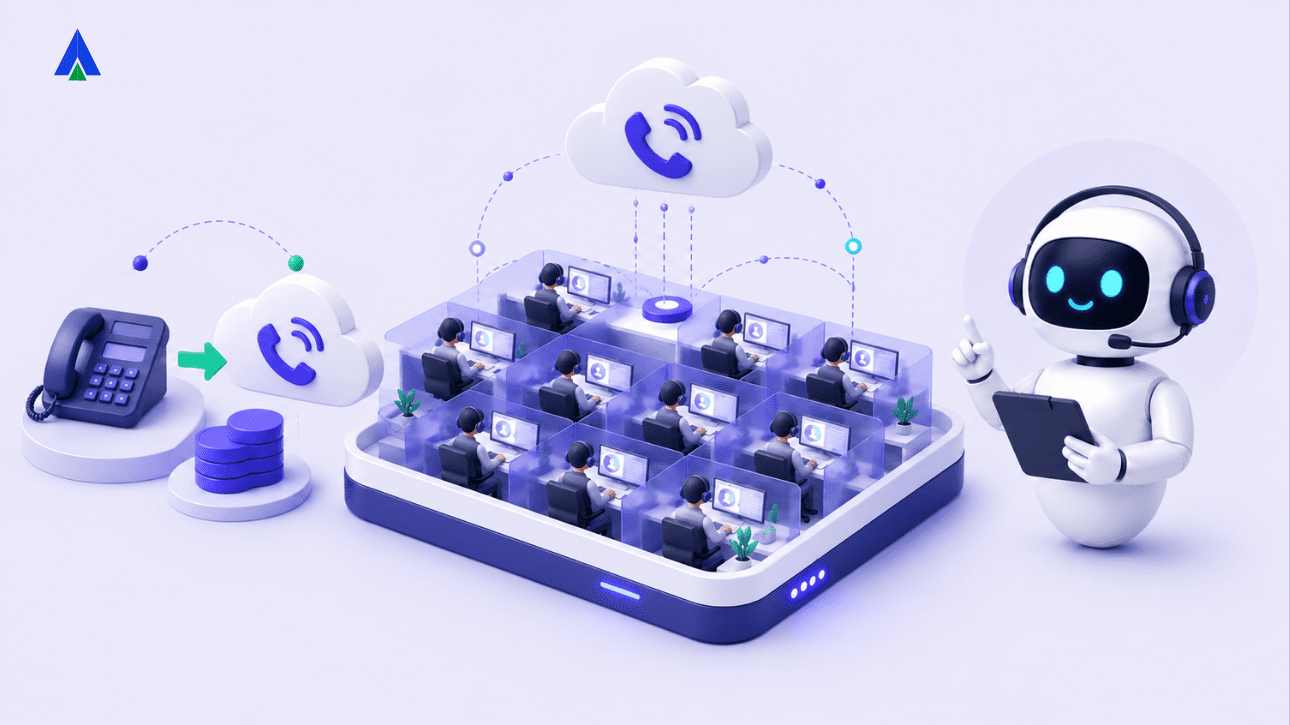


Most Indian call centers still run on infrastructure built for a different era. Physical phone lines. On-premise PBX boxes. Hardware that needs a technician on-site whenever something breaks. As teams grow, go remote, or scale outbound operations, that infrastructure starts to show its limits. Calls hit capacity walls during peak hours. Adding one agent means adding one new phone line. Getting basic call analytics means bolting on a separate tool.
A VoIP call center removes most of these constraints. It moves calling infrastructure to the internet and the cloud. This guide breaks down what that actually means. It covers setup requirements, India costs, and how a migration from legacy telephony typically plays out.
What Is a VoIP Call Center?
A VoIP call center is a customer service or sales operation that routes calls over the internet, using Voice over Internet Protocol (VoIP). It replaces traditional copper telephone lines. Agents make and receive calls through software (a softphone) or IP phones. These connect to a cloud-based phone system, not physical desk phones wired to a local PBX.
In plain terms: your voice gets converted into data packets and sent over your internet connection. It works the same way a video call or a voice note does. No dedicated telephone wire needed. The cloud provider handles the routing, call queuing, and recording. It connects the call to the person you’re dialing, wherever they are.
This is different from a regular VoIP phone at home. A VoIP call center adds a full contact center layer on top. That includes call queues, IVR menus, and skill-based routing. It also adds live dashboards, CRM integration, and compliance features built for high call volumes.
How Does a VoIP Call Center Differ from a Traditional PBX Setup?
Traditional PBX (Private Branch Exchange) call centers rely on physical hardware sitting in your office. There’s a PBX box, wiring to every desk phone, and a direct line from a telecom carrier. Every extension is a physical connection. Adding ten seats means running ten new lines and configuring hardware.
A cloud VoIP call center replaces that hardware with software. The “exchange” lives on the provider’s servers, not in your server room. Agents log into a softphone from any internet-connected device. New seats get provisioned in minutes through an admin dashboard.
| Feature | Traditional PBX | Cloud VoIP Call Center |
| Setup | Physical wiring, on-site hardware | Cloud account, softphone install |
| Scaling | New lines and hardware per seat | Add seats via dashboard |
| Remote work | Difficult, tied to office location | Native, works from any location |
| Maintenance | On-site IT, hardware repairs | Handled by provider |
| Analytics | Usually a separate add-on | Built into most platforms |
| Cost structure | High upfront, ongoing line rental | Lower upfront, per-seat subscription |
| Number portability | Carrier-dependent, slower | Faster porting via provider |
A few core components make this possible.
- Cloud PBX — the virtual exchange that manages call routing, extensions, and queues. No on-premise hardware required.
- SIP trunking — the technology that carries voice calls over the internet using the Session Initiation Protocol. It replaces physical trunk lines.
- Softphones — apps on a laptop, desktop, or mobile that let agents make and take calls. No physical handset needed.
- Contact center software — the layer that adds IVR, call recording, live monitoring, CRM sync, and reporting. It’s built for team operations, not just individual calling.
If you’re comparing options, start with a cloud-based phone system as the foundation. Then layer on cloud contact center capabilities for teams handling higher call volumes.
What You Need to Set Up a VoIP Call Center
VoIP setup is lighter than PBX, but it’s not zero-effort. A few things need to be right before go-live.
- Internet bandwidth: Voice calls need consistent, low-latency bandwidth more than raw speed. Plan for roughly 100 kbps per concurrent call, as a working baseline. Leave some headroom for network overhead. A 20-agent team running simultaneous calls needs a stable connection well above that combined figure. A backup internet line helps too. A VoIP call center is only as reliable as the internet behind it.
- Hardware: Most VoIP call centers use one of two setups. Agents work on softphones, using a headset and laptop with no desk phone required. Or agents use IP phones, physical handsets that connect over the network instead of a phone line. Softphones are cheaper and faster to deploy, especially for remote or hybrid teams. IP phones suit teams that prefer a dedicated device at each desk.
- CRM integration: Most businesses want call data, click-to-call, and call logs synced with their CRM (Salesforce, HubSpot, Zoho, or similar). Check that your provider offers A-Z CRM integration with the tools your teams already use. This is often what determines how much manual work agents save day-to-day.
- Admin configuration time: Setting up call flows, IVR menus, agent groups, and number routing typically takes a few hours to a couple of days for a small team. That’s far less than the days or weeks a PBX system needs to wire and configure.
How Much Does a VoIP Call Center Cost in India?
Cost is one of the main reasons Indian businesses evaluate VoIP. But it’s worth being precise rather than assuming VoIP is automatically cheaper in every scenario.
- Monthly per-seat costs. VoIP call center plans in India are typically priced per agent, per month. They generally sit well below the combined cost of a traditional PBX line rental plus per-minute charges. This is especially true for businesses making a high volume of outbound calls. Exact savings depend on call volume, seat count, and whether calls are mostly domestic or international.
- One-time setup costs. Traditional PBX carries a heavier upfront cost: hardware purchase, wiring, and installation. VoIP setup costs are lower and mostly limited to headsets and, if chosen, IP phones. Software and cloud PBX access is typically part of the subscription, not a separate line item.
- Legacy telephony comparison. Traditional carrier lines charge per-minute for outbound calls. Long-distance or international rates add up quickly for outbound-heavy teams. VoIP consolidates this into a more predictable per-seat or bundled-minutes model.
India-specific cost factors:
- Carrier rates for VoIP-based calling are generally lower than traditional STD/ISD rates. This matters most for outbound-heavy sales and collections teams.
- DID numbers (virtual local numbers for different cities) usually carry a small monthly fee per number. This lets businesses maintain a local presence in multiple cities without a physical office in each.
- TRAI compliance costs are typically absorbed by the provider rather than billed separately. Still, confirm this before signing a contract. Compliance gaps can create liability for the business, not just the provider.
VoIP is usually cheaper for growing or distributed teams. But run the comparison against your own call volume and current telecom contract. Don’t assume it as a blanket rule.
How Do You Migrate from Legacy Telephony to VoIP?
Migration is a process, not a single switch-flip. Most Indian businesses move through five stages.
- Audit current telephony. Map existing phone lines, DID numbers, call volumes, and peak hours. Note any integrations, like CRM or ticketing tools, tied to your current system. This audit determines what needs to be replicated in the new setup.
- Select a provider. Compare providers on India-specific factors: DoT licensing, data residency, uptime guarantees, and CRM integrations. Don’t compare on per-seat pricing alone. A business VoIP provider built for the Indian regulatory environment saves significant back-and-forth later.
- Port existing numbers. Number porting moves your existing business numbers to the new VoIP provider. It’s usually the longest step, since it depends on carrier processing time rather than the VoIP provider alone. Plan for this early rather than leaving it until the end.
- Train agents. Softphone interfaces differ from physical handsets. Budget time for agents to get comfortable with call transfer, hold, and IVR navigation. Include any new CRM click-to-call workflow before full cutover.
- Cutover. Most businesses run legacy and VoIP systems in parallel for a short window. They route a portion of calls to VoIP first, then fully decommission the old system. This reduces the risk of missed calls during the transition.
Typical timeline: For a small-to-mid-size call center of 10 to 50 seats, migration typically takes two to six weeks. That’s from provider selection to full cutover, with number porting often the rate-limiting step.
Common migration mistakes:
- Underestimating internet bandwidth needs before go-live, leading to call quality issues in week one.
- Porting numbers too late in the process, which delays cutover.
- Skipping agent training and assuming softphones are self-explanatory.
- Not testing CRM integration end-to-end before full rollout.
- Choosing a provider without confirming compliance and data residency upfront.
What Compliance Should a VoIP Call Center Follow in India?
Compliance is where India-specific context matters most. It’s also an area where cutting corners creates real business risk.
- DoT VNO licensing: Providers offering VoIP-based calling in India generally need a Department of Telecommunications (DoT) Virtual Network Operator (VNO) license. This applies to terminating calls on the public telephone network, either directly or through a licensed partner. Confirm your provider holds this licensing. Don’t assume any VoIP service is automatically compliant.
- TRAI regulations for outbound calling: The Telecom Regulatory Authority of India (TRAI) sets specific rules for outbound and telemarketing calls. These include registration requirements for high-volume outbound callers. VoIP does not exempt a business from these rules. A compliant provider should help with registration, not leave it entirely to the business.
- Data residency for call recordings. For regulated industries like BFSI and healthcare, where call recording data is stored matters. Confirm whether your provider stores recordings on servers located in India. This is especially important if your industry has specific data localization requirements.
This is genuinely more complex for regulated businesses than for a standard SMB. Treat compliance as a selection criterion, not an afterthought. Acefone operates under DoT VNO licensing and maintains India-based data residency for call recordings. It also builds TRAI compliance into its calling infrastructure, removing much of this burden from the business itself.
VoIP vs. PBX vs. Cloud Call Center: Quick Comparison
| Features | Traditional PBX | Basic VoIP | Cloud VoIP Call Center |
| Infrastructure | On-premise hardware | Internet-based calling | Internet-based, cloud-managed |
| Best for | Small, single-location offices | Individuals or small teams | Contact centers, sales/support teams |
| Scalability | Low | Medium | High |
| Remote work support | Poor | Good | Native |
| Analytics & reporting | Add-on required | Limited | Built-in |
| CRM integration | Rare | Sometimes | Standard |
| Compliance features | Manual | Provider-dependent | Built into platform |
Making the Move to a Cloud VoIP Call Center
Moving from legacy telephony to a VoIP call center isn’t about chasing a trend. It’s about removing the operational friction that comes with physical infrastructure: slow scaling, hardware maintenance, and disconnected analytics. For Indian businesses specifically, the case has gotten stronger. Carrier rates have dropped, and providers have built India-specific compliance directly into their platforms.
The right first step is usually an audit of your current call volumes and pain points. Follow that with a conversation with a provider who understands the Indian regulatory landscape, not just the technology.
Explore Acefone VoIP phone service to see how a compliant, India-first cloud call center comes together. Or book a migration consultation to map out what switching would look like for your setup. You can also look into IVR and Contact Center Studio capabilities to see the fuller picture of a modern VoIP-based operation.
Frequently Asked Questions
Call quality on VoIP is generally comparable to traditional lines. This holds as long as the connection has sufficient bandwidth and low latency. Quality issues usually come from network problems, not VoIP itself.
No. Most VoIP providers support number porting. You can keep your existing business number while moving the underlying infrastructure to VoIP.
Yes. VoIP calling only needs an internet connection and a softphone. Agents can work from home, a branch office, or anywhere else. This is one of the main advantages over PBX systems tied to a physical office.
Yes, when the provider holds the appropriate DoT licensing. The business must also follow TRAI’s outbound and telemarketing regulations. Compliance depends on both the provider’s infrastructure and the business’s own practices.
Basic setup can take a few hours to a few days for a small team. Full migration from an existing legacy system typically takes two to six weeks. That includes number porting and agent training.
Not universally. VoIP is usually more cost-effective for growing, distributed, or outbound-heavy teams. Exact savings depend on call volume, seat count, and your current telecom contract terms.
Most VoIP providers offer failover options, like call forwarding to a mobile number. Still, a stable connection with a backup line is recommended if your center can’t tolerate downtime.
Not necessarily. Many VoIP call centers run entirely on softphones with a headset and laptop. IP phones are optional, for teams that prefer a dedicated desk device.


