

 4 mins read


For a huge share of the world’s customers, WhatsApp isn’t a side channel it’s the primary way they communicate, full stop. As that habit has extended into how people expect to reach businesses, WhatsApp calling for business has moved from a novelty to something companies are actively building support and sales workflows around. If your customers are already messaging you on WhatsApp, the natural next step is handling voice calls there too, without losing the structure a proper support operation needs.
Why Are Businesses Adopting WhatsApp Calling?
The appeal isn’t complicated. Customers increasingly prefer messaging apps over traditional phone calls or email, and WhatsApp specifically dominates that space in much of the world. WhatsApp business calling meets customers exactly where they already are, rather than asking them to switch to a phone dialer or a separate support portal.
A few concrete advantages stand out:
- Lower friction for customers. No need to dial a separate number or download a new app the conversation stays in the same thread they’re already using.
- Continuity between chat and call. A support conversation can move from text to voice within the same platform, without losing context.
- International reach without international calling costs. WhatsApp calls run over internet data, which matters enormously for businesses serving customers across borders. (Compare this with calling a US toll-free number from abroad.)
- A more personal feel. For many customers, a WhatsApp call feels less formal and more approachable than a traditional customer service line.
Can the Standard WhatsApp App Handle Business Calls at Scale?
Here’s where it gets more complicated than it looks. WhatsApp was built primarily as a consumer messaging app, and the personal version doesn’t offer the infrastructure a real support or sales team needs to manage business calls on WhatsApp at any meaningful volume. A single person fielding occasional calls from one phone can get by with the standard app. A team handling dozens or hundreds of daily interactions cannot.
The gaps show up quickly:
- No way to route incoming calls to the right available agent
- No shared visibility into call history across a team
- No integration with CRM or helpdesk systems to log interactions automatically
- No analytics on call volume, response times, or missed calls
- Difficulty maintaining consistency when multiple team members might respond to the same customer
This is why most businesses running serious volume through WhatsApp voice rely on the WhatsApp Business API paired with a WhatsApp call center platform, rather than the standard consumer app.
| Capability | Standard WhatsApp App | WhatsApp Business API + Call Center Platform |
| Call routing to available agents | No | Centralized call routing |
| Shared team call history | No | Unified agent dashboard |
| CRM / helpdesk integration | No | Automatic sync |
| Analytics | No | Call volume, handling time, missed calls |
What Does a Proper WhatsApp Call Center Setup Look Like?
A structured setup typically includes:
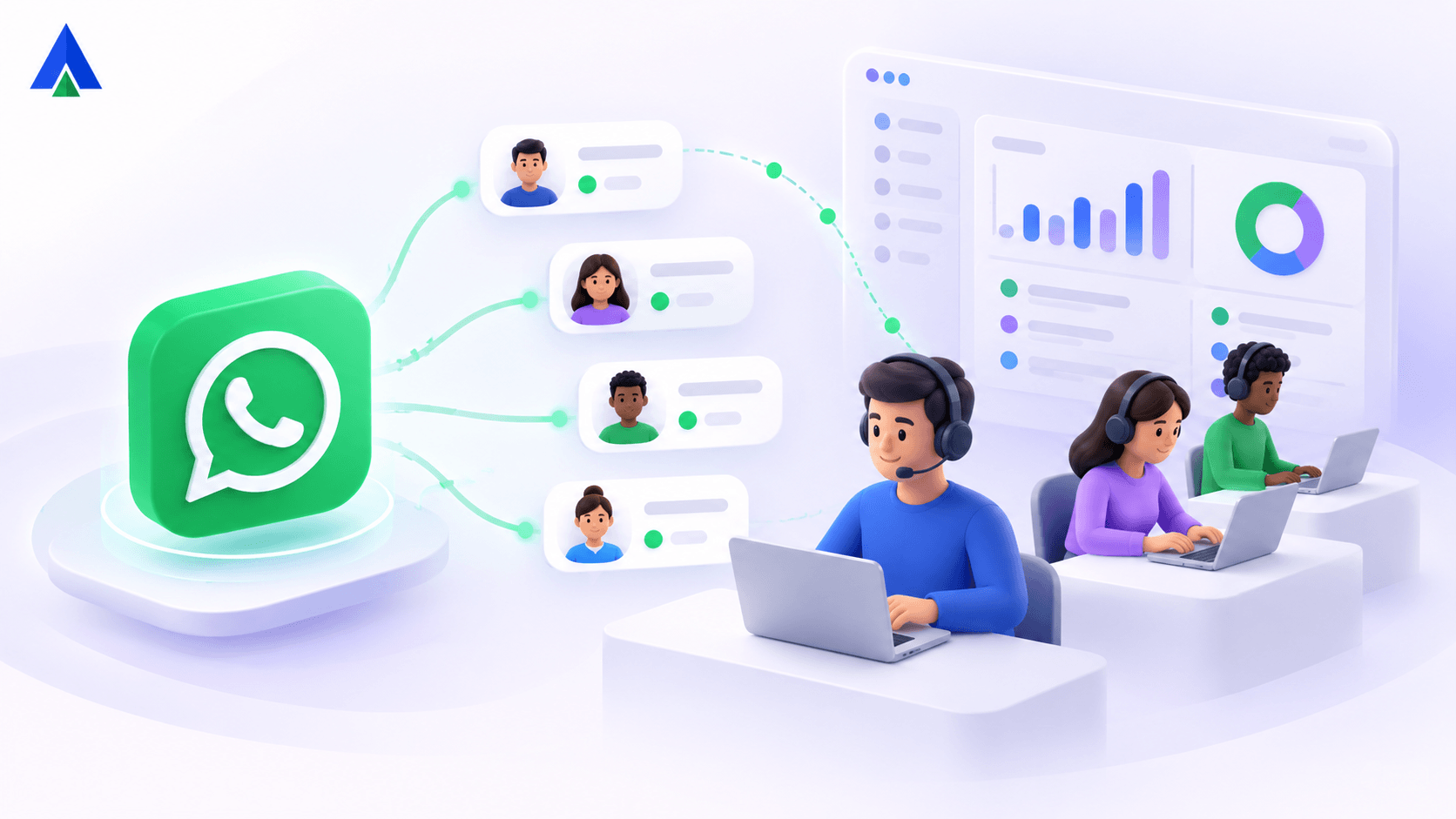
- Centralized call routing. Incoming WhatsApp calls get distributed across available agents automatically, rather than depending on one specific phone always being answered.
- Unified agent dashboard. Agents can see WhatsApp call history alongside chat history and other channels, so context isn’t lost when a conversation shifts from text to voice.
- CRM integration. Call outcomes and customer details sync automatically with existing sales or support tools, keeping records consistent across channels.
- Call recording and quality monitoring. For training and compliance purposes, teams can review past calls the same way they would with traditional phone support. (See call recording and toll-free number security best practices.)
- Reporting and analytics. Managers get visibility into call volume, average handling time, and missed call rates the same operational data they’d expect from a traditional call center.
How Do You Build a WhatsApp Customer Support Strategy That Works? (5 Steps)
Rolling out WhatsApp customer support with a voice component effectively usually involves a few deliberate steps:
- Start with your existing WhatsApp Business presence. If you’re already using WhatsApp for messaging support, voice calling is a natural extension rather than a new channel from scratch.
- Set expectations with customers. Let them know calling is an option, and be clear about response times if calls aren’t answered instantly.
- Train agents on the specific etiquette of WhatsApp voice calls, which tends to be more conversational and less scripted than traditional phone support.
- Route calls the same way you’d route any other support channel by skill, availability, or issue type rather than treating WhatsApp as an unstructured side channel.
- Monitor the data. Track how WhatsApp call volume compares to your other channels, and adjust staffing accordingly.
Can WhatsApp Voice Calls Be Used for Sales, Not Just Support?
While support is the most obvious use case, WhatsApp voice calls for business are increasingly used for sales follow-ups too a lead fills out a form, and a sales rep calls them directly on WhatsApp rather than a traditional phone number. This tends to see higher answer rates in regions where WhatsApp is the dominant communication method, simply because customers recognize and trust the platform more than an unfamiliar phone number.
What Are the Best Practices for WhatsApp Call Management?
Effective WhatsApp call management comes down to treating the channel with the same operational rigor as any other support line not as an informal extra. That means clear ownership of who answers calls, defined escalation paths for complex issues, and consistent tracking of outcomes. Businesses that treat WhatsApp voice as a genuine channel, backed by proper routing and reporting, tend to see meaningfully better customer satisfaction than those running it off a single shared device with no structure behind it.
Final Verdict: Is WhatsApp Calling Right for Your Business?
WhatsApp calling isn’t replacing traditional phone support outright, but for a large and growing share of customers, it’s becoming the preferred way to reach a business. Platforms like Acefone that integrate WhatsApp Business calling into a broader WhatsApp communication platform alongside traditional voice, routing, and analytics let companies meet that expectation without sacrificing the operational structure a real support team depends on. The businesses getting the most out of this shift are the ones treating WhatsApp calls as a first-class support channel, not an improvised one. (Planning your wider stack? Read how to choose the best business phone system.)
Frequently Asked Questions:
It meets customers where they already communicate, without asking them to switch to a separate dialer or app.
No, it lacks routing, shared visibility, CRM integration, and analytics needed beyond occasional personal use.
The WhatsApp Business API paired with a dedicated WhatsApp call center platform.
Yes, since calls run over internet data rather than international phone rates.
Centralized call routing and a unified agent dashboard showing call history alongside other customer data.